Servo Tilt
Two-axis platform control lets players guide the ball by changing the physical maze angle.
Physical Maze System
An Arduino-powered physical maze where players tilt the board, trigger IR sensor events, and receive lights, sound, haptics, score, and timer feedback through a Web Serial showcase.
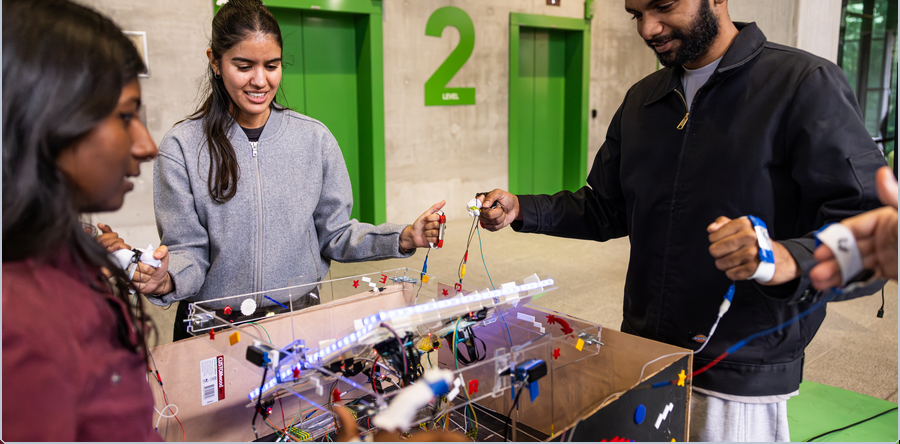
Project Snapshot
The web page presents the same loop as the installation: player input moves the maze, sensors detect events, and the system reacts through feedback hardware.
Two-axis platform control lets players guide the ball by changing the physical maze angle.
Sensor zones detect traps, score points, transport points, and finish conditions.
PlanB drives vibration, RGB lighting, sound cues, score display, and timer display.
The browser can demonstrate the system or connect to real Arduino boards during a live run.
Project Outcome
The showcase connects the physical table, controller logic, feedback hardware, and browser demo into one story that visitors can understand without reading the code first.
Acrylic maze, two-axis servo tilt, IR event zones, and visible feedback wiring.
Platform movement stays separate from PlanB feedback for lights, haptics, sound, score, and timer.
Demo mode lets a viewer try the system loop even when the hardware is not connected.
Project photos, wiring views, video, and code evidence are shown together instead of hidden in notes.
Gameplay Flow
The run begins, score and timer reset, and the start lights indicate the maze is active.
Players use the wearable input and servo platform to move the ball through the maze.
IR zones detect traps, checkpoints, portals, or the finish gate.
Lights, sound, vibration pods, score, timer, and the web dashboard all update together.
Guided Interactive Demo
This area keeps the original dungeon console, but frames it as a visitor-facing demo instead of an internal debug panel.
Reset the run and light up the active maze state.
Show score penalty, red light, sound, and vibration feedback.
Add a clear +15 score event so visitors see positive feedback.
Trigger the transport event and trace the full response chain.
| Rank | Team | Time | Score |
|---|---|---|---|
| 01 | Group A | 02:08 | 0215 |
Live Exhibition Footage
These clips show the public-facing setup in use: several visitors surround the MazeRunners table, take turns controlling the physical maze, and react to the live installation.
Real Interaction
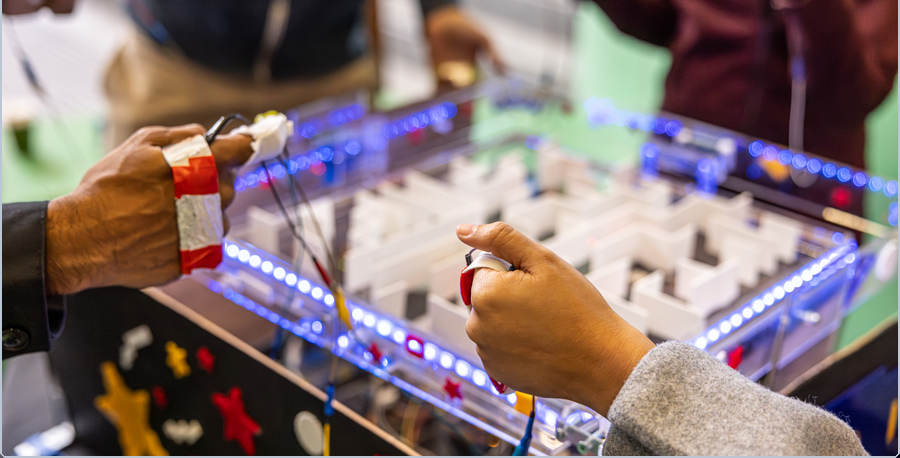
The browser view is not only a screen layer. It helps explain the live loop: input, movement, sensor event, feedback output, and score state.
Hardware Architecture
Platform control handles physical tilt. PlanB feedback handles event detection, lights, sound, haptics, score, and timer outputs.
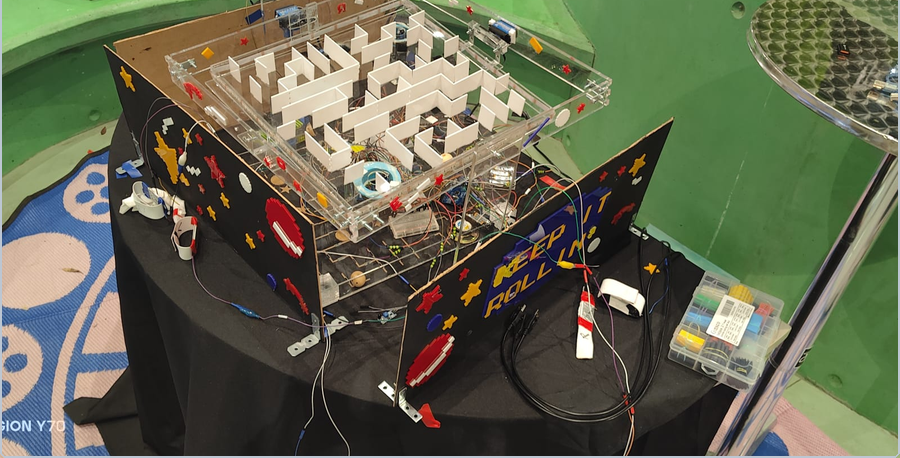
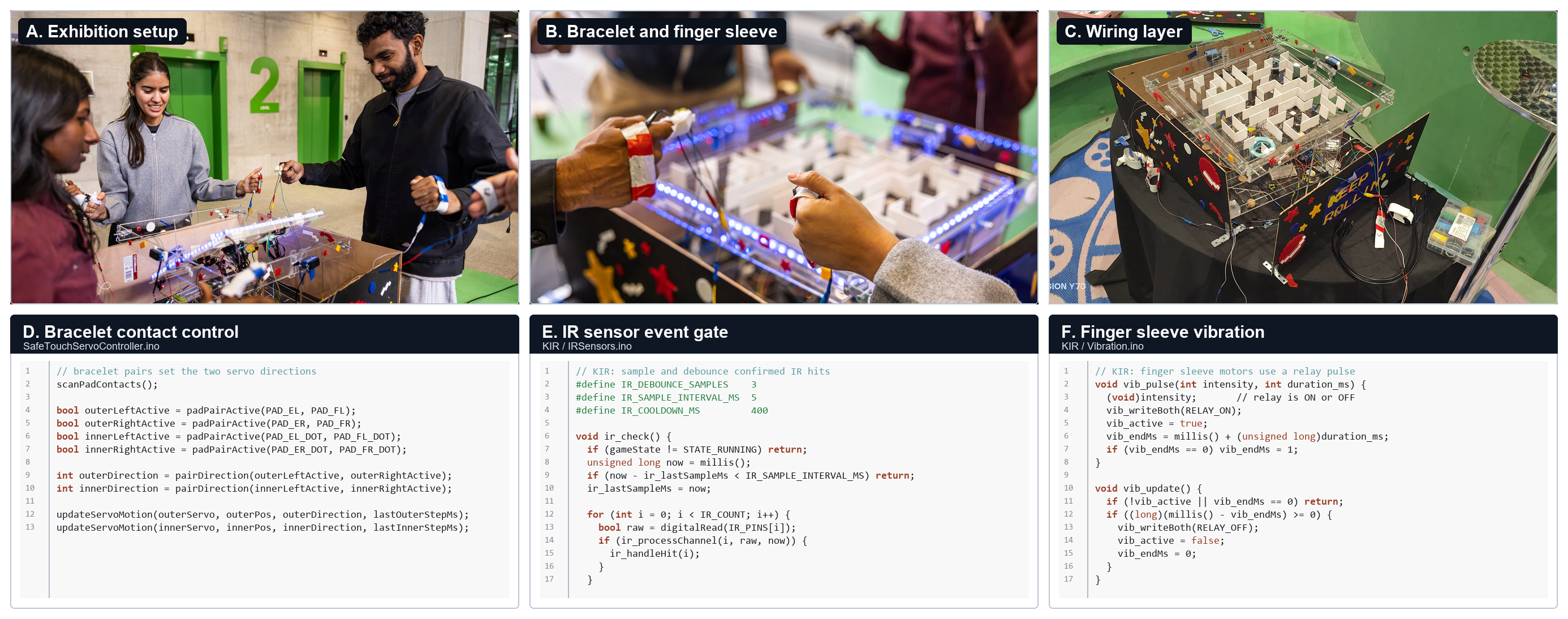
Completed circuit loop record showing the feedback electronics in motion.
Live Connection
Web Serial is used only in Live Mode. Demo Mode stays safe for visitors who only need to understand the project.
Connect PlanB for score, lights, audio, haptics, and map events; connect Platform for two-servo tilt.
Visual assets: Puny Dungeon by Shade; Ninja Adventure by Pixel-boy and AAA; Modern Exteriors by LimeZu. Project photos and evidence are from the Maze Runners build archive.